
MEMBERS & DIGITAL CARDS
Your members. More connected.
Manage member details, track membership status and give athletes a digital card with your club’s identity.
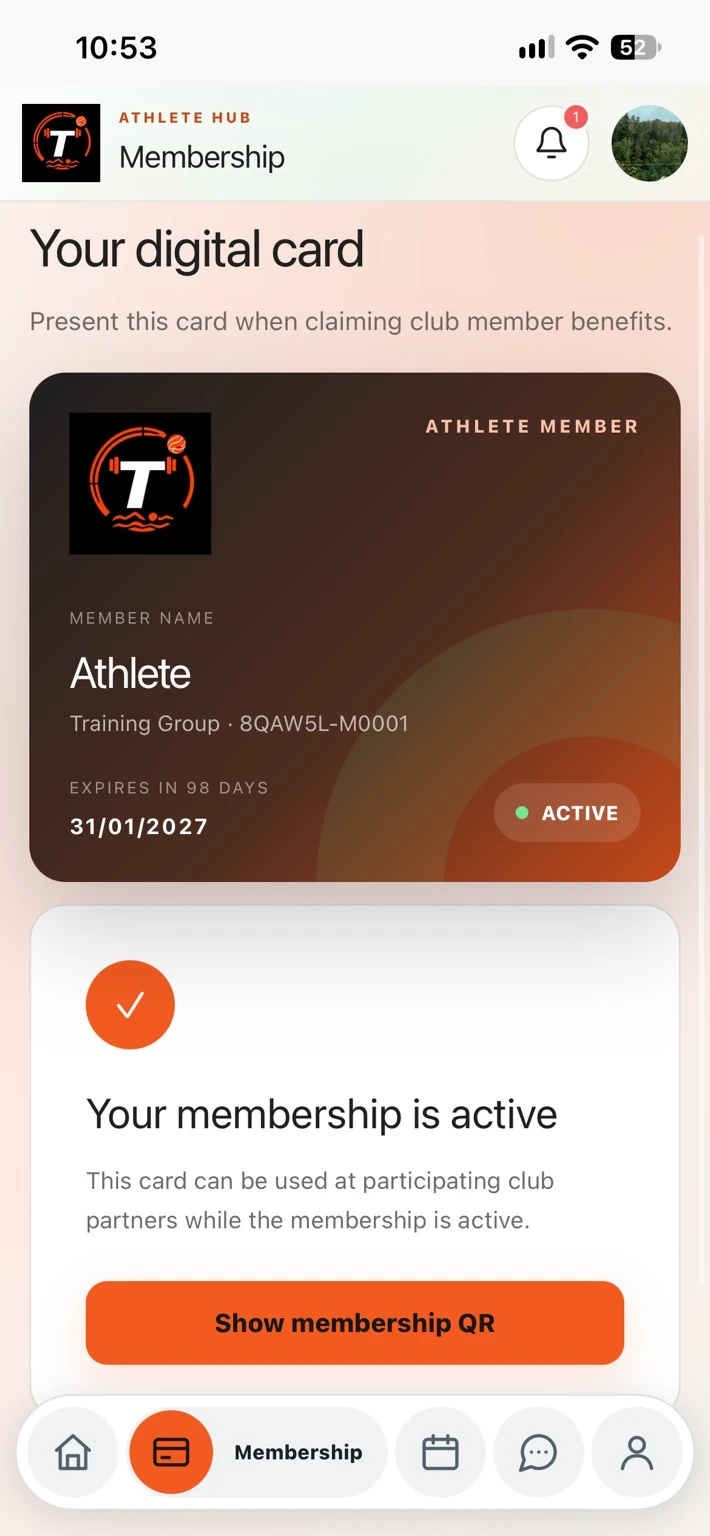
Keep member records organised
Administrators can search the member database, review roles and training groups, and update membership details. Account access and membership status are separate controls.
- Member IDs, roles and training groups
- Membership status and expiry dates
- Account access management
Give members a club-branded card
The digital membership card uses the club’s branding and current membership record. Clubs can choose which supported details appear, including member ID, expiry date, group and QR verification.
Member deals, controlled by your club
Create and edit partner benefits, add offer images, set per-member redemption limits and pause offers when needed. Track QR redemptions and remaining uses.
Verify the membership behind the card
The card’s QR code opens Teamira’s verification page for that membership. This connects the displayed card to a record the club can maintain.
IN PRACTICE
From setup to your next session.
Add the member
Create the athlete’s account and assign the appropriate group.
Set membership details
Record the membership status and expiry date.
Open and verify the card
The athlete opens Membership in Teamira. Scan its QR code to view verification.
A FEW MORE DETAILS
Good to know.
Can inactive members still use everyday club features?
Membership status is separate from account access. An inactive membership does not, by itself, prevent ordinary tasks such as viewing training sessions.
Does Teamira support Apple Wallet and Google Wallet?
Wallet support is being prepared. Availability depends on platform issuer setup and validation; it is not promised as a currently available feature. The existing Teamira digital card remains available where enabled by the club.
Can clubs choose what appears on the card?
Yes. Digital-card settings include visibility controls for supported membership details and QR verification.